


 3:09 AM
 unknown

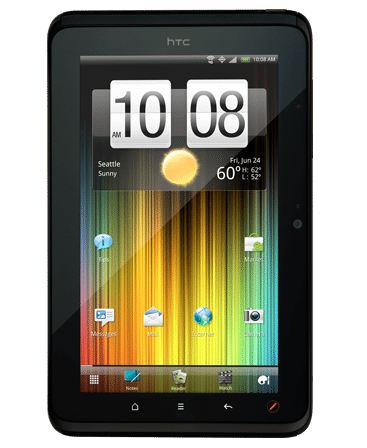 The EVO View’s full tech specs are available on HTC’s website, but the main highlights are a 1.5 GHz processor (single-core…sorry, gang) and 4G WiMax. Oh, and it has this interesting stylus, too, but more on that in a bit. Other hardware specs are very much in-line with most other 7″ tablets: a 1024 x 600 resolution LCD screen, 32GB of internal flash storage, front- and rear-facing cameras (1.3MP and 5MP, respectively), stereo speakers and mics, and all the usual ports (microUSB) and buttons (power and volume).
There are some touches that make the EVO View (and it’s non-Sprint 4G cousin, the HTC Flyer) interesting. For one, the ends of the tablet (left and right when held in landscape orientation) have these little plastic lips on them that give an excellent sense of grip to your thumbs and fingers.
It’s almost like HTC took a cue from SLR designers in that regard, and is definitely an improvement (IMO) on the standard “slab” format of most tablets today.
Another nifty bit is that HTC has made the extra effort to have the capacitive buttons (Home, Menu, Back, and Stylus) rotate from portrait to Landscape. When in portrait mode, the buttons illuminate below the screen (as above).
One thing I like about HTC is that it’s more willing than most phone/tablet OEMS to experiment. Sometimes, it’s not so great (e.g., the HTC Surround, with a slide-out speaker (wha?)), but other times, it can be interesting, if not downright compelling. The stylus HTC developed for the EVO View (and Flyer), which they call the Scribe, made nearly everyone I showed it to perk up with interest. After all, it wasn’t that long ago that a stylus was an assumed accessory to every smartphone and PDA being sold.

HTC has also included its new Watch video rental service as well as HTC Likes (an app recommendation service), HTC Hub (a mini “store” for HTC apps, widgets, backgrounds, etc.), and HTC’s Reader e-book app. The EVO View does media sharing via DLNA and comes with Polaris Office for viewing and light editing of standard Office documents.
 Posted in:


1 comments:
This is the bst u can find ,its mre better than ipad!
Post a Comment